Floral Wreath Monogram Sign: A Practical Guide to Files, Materials, and Application
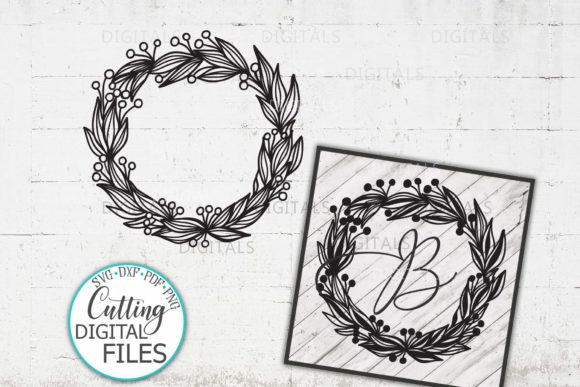
The Floral Wreath Monogram Sign has become a staple in the personalization industry because it bridges the gap between classic elegance and modern customization. Whether you are a small business owner fulfilling custom orders or a hobbyist creating gifts for family, this design offers a versatile framework that adapts to almost any surface. However, the difference between a professional-looking finished product and a wasted material often lies not in the design itself, but in how you select, prepare, and apply the digital files. Understanding the technical nuances of this specific design style prevents common frustrations associated with intricate botanical details and typography.
Selecting the Correct File Format for Your Equipment
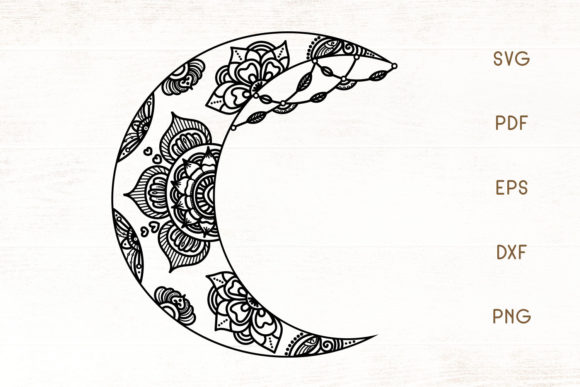
One of the most frequent mistakes creators make is assuming all vector files behave identically across different software platforms. When you receive your ZIP folder containing SVG, DXF, PDF, PNG, and EPS formats, it is tempting to simply grab the first file that opens. This approach often leads to jagged edges, missing nodes, or sizing issues. Each format serves a distinct purpose, and using the wrong one compromises the integrity of the floral wreath monogram sign.
For users with Cricut Explore, Silhouette Cameo Designer Edition, or Scan N Cut DX machines, the SVG format is your primary choice. It preserves layers and curves perfectly for cutting vinyl or cardstock. However, if you are using the basic version of Silhouette Studio without the Designer Edition upgrade, attempting to open an SVG will result in an error or a rasterized image that cannot be cut cleanly. In this specific case, you must use the DXF format. While DXF files sometimes lose layer color information upon import, they maintain the precise vector paths necessary for your blade to follow accurately.
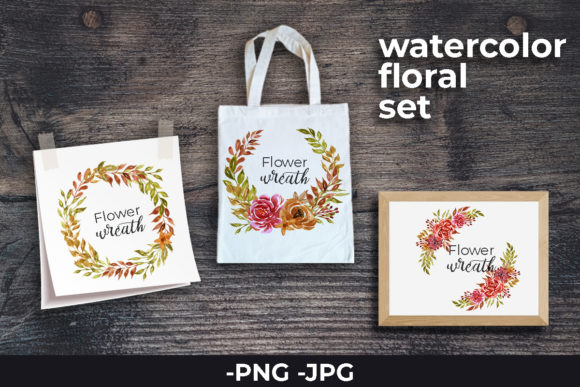
Conversely, do not use PNG files for machine cutting unless you have no other option. Although the included PNG is high-resolution at 300 dpi with a transparent background, it is a raster image. Tracing a complex floral wreath from a PNG often results in bumpy lines where petals meet stems. Reserve the PNG format strictly for sublimation printing, direct-to-garment transfers, or as a visual reference when designing layouts in non-cutting software. Similarly, use the EPS format only if you are editing the design in Adobe Illustrator to resize or modify elements before exporting a fresh SVG for production.
Navigating Material Compatibility and Intricate Details
Floral wreaths inherently contain delicate lines and small negative spaces. A common oversight is treating this design the same way you would treat bold, blocky text. What works for a simple word on a t-shirt may fail catastrophically when applied to a detailed botanical monogram. The material choice dictates the level of detail your project can successfully hold.
When working with vinyl for tumblers, mugs, or glasses, avoid standard glossy craft vinyl for intricate wreaths. The weeding process—the removal of excess material—can easily distort thin stems or tear tiny leaves. Instead, opt for premium permanent vinyl or specialized glitter vinyl that has a thicker backing and better release properties. If the design is exceptionally dense, consider scaling it up slightly. A three-inch wreath on a mug might look perfect on screen but becomes unweedable in reality. Testing a scaled version on scrap material saves hours of frustration and prevents ruined drinkware.
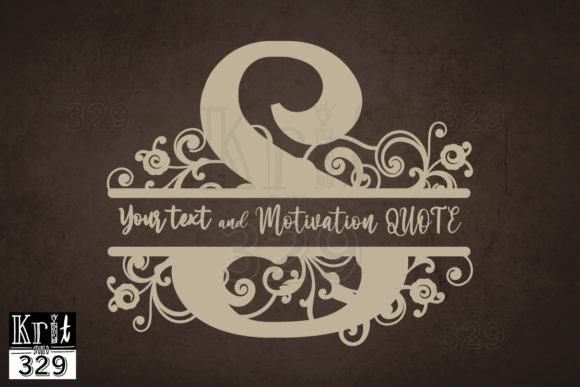
For wood signs and acrylic blanks, the application method matters as much as the material. If you are painting over stencil vinyl, the intricate gaps between flowers are prime areas for paint bleed. Using a stencil adhesive spray rather than just relying on the vinyl’s tack helps seal those tiny edges. Alternatively, if you are using adhesive vinyl directly on wood, ensure the surface is sealed first. Raw wood grain can trap air bubbles under thin floral stems, causing the design to lift over time. For laser engraving, verify that the PDF or vector file lines are set to hairline width; otherwise, the laser may interpret the outline as a filled shape, burning away the delicate details of the wreath entirely.
Avoiding Sizing and Placement Errors Across Different Products
Another area where efficiency and quality suffer is in the assumption of universal sizing. A Floral Wreath Monogram Sign designed for a large tote bag cannot simply be shrunk down for a greeting card without adjustment. Scaling changes the stroke width relative to the overall size. A stem that looks proportional on a pillow may disappear entirely when reduced to two inches for a scrapbooking layout.
Before committing to a final cut or print, evaluate the destination surface. For t-shirts and apparel, placement is critical. A monogram centered mathematically on the fabric often appears too low visually once worn. Use the PNG file to create a mockup or print a paper template to tape onto the garment while wearing it. This ensures the wreath sits correctly on the chest or back. For pillows and canvas, account for seam allowances and stuffing distortion. A design placed too close to the edge of a pillow cover will warp when inserted into the form. Always leave a safe margin that exceeds the minimum recommended by your sewing pattern.
When creating paper crafts and greeting cards, remember that paper weight affects structural integrity. Cutting a highly detailed floral wreath out of standard copy paper will likely result in tearing during removal from the mat. Use cardstock with a smooth finish for intricate cuts. If you are layering the monogram over the wreath, ensure your adhesive covers the entire surface area. Spot-gluing only the center of a wreath leaves the outer petals prone to curling, which ruins the presentation.
Verifying Downloads and Managing Digital Assets
Technical issues often begin before the creative process starts. Many users download their ZIP folder and immediately try to open individual files without extracting them first. Modern operating systems sometimes allow you to preview files inside a ZIP, leading to the false belief that they are accessible. Attempting to import a zipped SVG into Cricut Design Space or Silhouette Studio will fail. Always extract the full folder to a dedicated project directory on your computer before launching your software.
Additionally, organize your files logically. Since this Floral Wreath Monogram Sign package includes five distinct formats, renaming files to include the format type and intended use can prevent future confusion. For example, saving a file as "WreathMonogram_Cutting_SVG" versus "WreathMonogram_Sublimation_PNG" eliminates guesswork six months later when you return to the design. This simple organizational habit streamlines workflow for entrepreneurs managing hundreds of designs and helps beginners build sustainable crafting practices.
Ensuring Commercial and Personal Usage Success
Finally, consider the end goal of your project. If you are selling items featuring this Floral Wreath Monogram Sign, consistency builds brand trust. Using the DXF file for one batch of shirts and the SVG for another might result in slight variations in line thickness or node placement. Stick to one master file format for all production runs to ensure every customer receives identical quality. For educators and bloggers sharing tutorials, always specify which file format you are demonstrating. Showing a PNG trace tutorial to an audience that primarily uses laser cutters creates unnecessary friction and poor learning outcomes.
By respecting the technical specifications of each file format and understanding the physical limitations of your chosen materials, you transform this digital asset from a simple download into a reliable tool for creation. The versatility of the Floral Wreath Monogram Sign is vast, spanning from rustic wood decor to elegant glassware, but realizing that potential requires mindful preparation. Take the extra moment to verify your settings, test your materials, and organize your assets. These small corrections compound over time, resulting in higher quality products, less wasted material, and a more enjoyable creative experience.