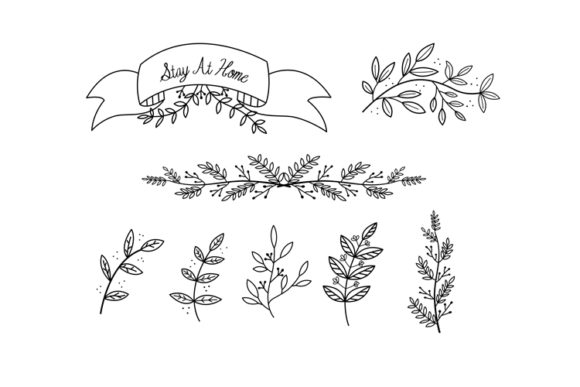
Floral Doodle Illustrations: Integrating Hand-Drawn Vectors into Professional Workflows
In the landscape of modern digital design, the demand for organic, human-centric visuals has created a significant shift away from sterile corporate aesthetics. Floral doodle illustrations serve as a critical bridge between professional polish and approachable authenticity. For creators, marketers, and business owners, these assets are not merely decorative afterthoughts; they are functional design elements that solve specific communication problems. When sourced as a comprehensive hand-drawn vector set including EPS, AI, SVG, and PNG formats, these illustrations become versatile tools that integrate seamlessly into diverse production pipelines, from initial branding concepts to final print execution.
The Strategic Role of Organic Visuals in Design Systems
Before downloading or deploying any asset library, it is essential to understand where floral doodles fit within a broader visual strategy. These illustrations function best as texture and tone modifiers rather than primary focal points. In a user interface, they guide attention without competing with call-to-action buttons. In editorial layouts, they break up dense text blocks to improve readability and retention. For product packaging, they signal natural ingredients or artisanal quality without requiring expensive custom photography.
The value of a hand-drawn vector set lies in its ability to maintain consistency across disparate media while retaining the imperfections that make hand-drawn art appealing. Unlike raster images, which degrade when scaled, vector-based doodles allow professionals to adapt a single source file for a business card, a billboard, or a mobile app icon without losing fidelity. This scalability is crucial for maintaining brand coherence in omnichannel marketing campaigns where assets must perform across varying resolutions and aspect ratios.
Evaluating File Formats for Specific Workflow Stages
A professional download package typically includes multiple file types, each serving a distinct purpose in the production lifecycle. Understanding when to use EPS, AI, SVG, or PNG prevents bottlenecks and ensures optimal output quality.
AI and EPS: The Editing and Archival Stage
Adobe Illustrator (AI) and Encapsulated PostScript (EPS) files are the master sources. These should be used during the customization phase of a project. Because floral doodles are often sold as bundled sets, designers frequently need to isolate specific elements, recolor strokes to match brand palettes, or combine multiple flowers into new compositions. AI files preserve layer structures and editable paths, making them indispensable for bespoke adjustments. EPS files serve as the universal vector standard for transferring these edited masters between different vector software or sending to professional print vendors who may not use Adobe products.
SVG: Web and Digital Product Implementation
Scalable Vector Graphics (SVG) have become the industry standard for web and app development. Unlike static images, SVGs are code-based, allowing for CSS manipulation, animation, and responsive scaling. When integrating floral doodles into a website header, email newsletter, or digital planner, SVG ensures crisp rendering on high-DPI retina displays. For productivity-minded users creating digital stationery or notion templates, SVGs keep file sizes low while maintaining visual richness, directly impacting load times and user experience.
PNG: Rapid Deployment and Compatibility
While vectors are superior for editing, transparent PNGs remain vital for speed and compatibility. Not all stakeholders have access to vector editing software. When collaborating with clients, educators creating slide decks, or social media managers using template platforms like Canva, pre-rendered PNGs with transparent backgrounds allow for immediate drag-and-drop functionality. High-resolution PNGs (300 DPI) also serve as a reliable fallback for print-on-demand services that struggle with complex vector path data.
Pre-Project Preparation and Asset Organization
Efficient integration begins before the design software is even opened. A common failure point in using illustration packs is poor asset management, leading to wasted time searching for specific elements mid-project. Professionals should establish a standardized organization system immediately upon download.
- Categorization: Sort files by type (borders, individual blooms, leaves, accents) and format. Avoid keeping all formats in a single folder.
- Naming Conventions: Rename generic files (e.g., "flower_01.ai") to descriptive tags (e.g., "peony-outline-stroke.ai") to enable quick searchability.
- Color Profiling: Verify whether the vectors are CMYK or RGB. Convert masters to the appropriate color space for your primary output medium before starting edits to prevent unexpected color shifts.
- Licensing Audit: Document usage rights in a central location. Knowing whether the set allows for commercial merchandise, NFT creation, or client work prevents legal complications later.
This preparation phase reduces cognitive load during the creative process. When assets are organized logically, the designer can focus on composition and messaging rather than file administration.
Practical Implementation Across Business Functions
Floral doodle illustrations transcend traditional graphic design, finding utility in various operational and creative workflows. Their hand-drawn nature adds a layer of psychological warmth that polished stock photography often lacks.
Marketing and Brand Identity
For small business owners and freelancers, establishing a unique visual identity on a budget is challenging. A cohesive floral vector set provides a cost-effective alternative to custom illustration commissions. By defining a specific subset of doodles as "brand assets," businesses can create proprietary patterns, social media frames, and packaging inserts that feel exclusive. The key is restraint; selecting three to five core elements and using them consistently builds recognition more effectively than using every flower in the pack.
Education and Content Creation
Educators and course creators utilize these illustrations to enhance information hierarchy. In worksheets, lesson plans, or e-learning modules, floral dividers and corner accents help segment content visually, reducing learner fatigue. For bloggers and publishers, these doodles serve as customizable featured image elements or pull-quote decorations that align with seasonal content calendars without requiring new photoshoots for every post.
Product Development and Merchandising
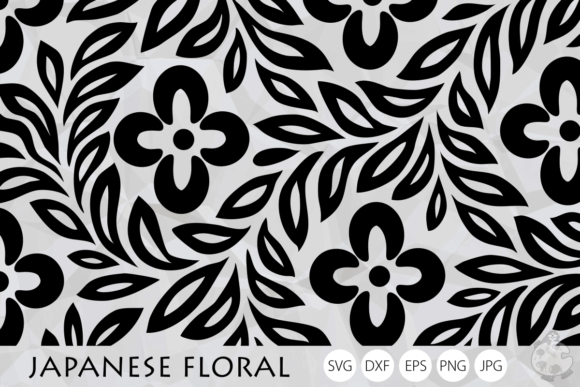
Entrepreneurs in the stationery, textile, and gift markets rely heavily on seamless pattern creation. Vector floral sets allow for the precise alignment of motifs to create repeat patterns for fabric printing, wallpaper, or wrapping paper. Because the source files are vectors, designers can adjust the scale of individual elements to suit different product dimensions without pixelation. This flexibility supports rapid prototyping and testing of new product lines with minimal upfront investment.
Quality Control and Technical Considerations
Integrating hand-drawn vectors requires technical vigilance to ensure professional results. Hand-drawn aesthetics imply imperfection, but file construction must still meet industry standards.
Path Integrity: Always inspect anchor points in AI or EPS files. Poorly digitized hand drawings may contain stray points, open paths, or overlapping shapes that cause issues during cutting (for vinyl/cricut users) or screen printing. Running a path cleanup script before production saves material waste and rework time.
Stroke Consistency: When combining doodles from different sets or mixing with custom drawings, verify stroke weight consistency. Disparate line thicknesses disrupt visual harmony. Use the width tool or stroke panel to normalize weights across the composition.
Transparency Management: Be cautious with opacity masks and blend modes in vector files intended for print. Some RIP software interprets transparency unpredictably. Flattening transparencies or expanding appearances in the master file ensures the output matches the screen preview.
Long-Term Asset Utilization and Efficiency
The return on investment for a floral doodle vector set increases with repeated, strategic use. Rather than treating the download as a single-use resource, professionals should view it as a modular component library. Creating custom brushes, symbols, or styles based on the downloaded vectors accelerates future projects. For agencies, developing internal libraries of approved, licensed floral assets streamlines the onboarding of new clients in wellness, beauty, or lifestyle sectors.
Furthermore, these assets support sustainable design practices. By utilizing high-quality, reusable vectors, teams reduce the reliance on resource-intensive photo shoots and the carbon footprint associated with physical sample production. Digital-first workflows leveraging scalable graphics align with modern efficiency goals while delivering the tactile, emotional resonance that audiences crave.
Ultimately, successful integration of floral doodle illustrations depends on treating them as professional production assets rather than casual clip art. By respecting file formats, organizing resources meticulously, and applying them with strategic intent, creators and businesses can harness the power of hand-drawn aesthetics to enhance clarity, engagement, and brand distinction across every touchpoint.